
The statement your owners will judge you by.
Most managers finish the month in a spreadsheet and email a PDF. Owners squint at it, ask three questions, and wonder. This is the alternative.
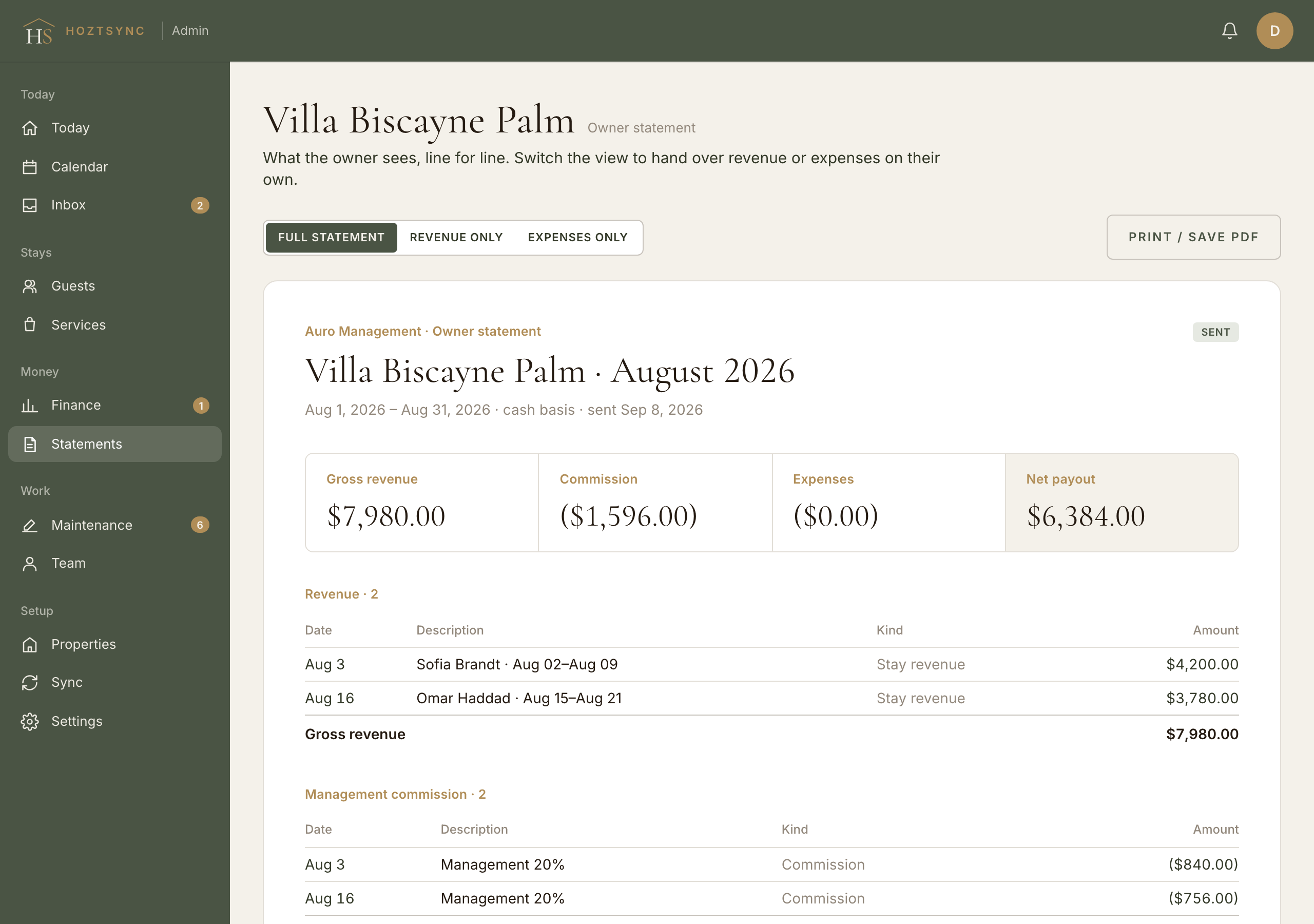
Four numbers and every line behind them.
Every stay paid out in the month, by Airbnb's payout date, so the total matches the owner's bank deposits. Cash basis, not calendar-night guesswork.
Your rate on each payout, a flat fee per stay, or a flat monthly fee. Set per property. Zero on properties you own yourself.
Approved repairs, cleaning pass-throughs, supplies, adjustments. Each one with a memo, a date, and the receipt or invoice behind it.
Revenue minus commission minus expenses. On properties you own, the same line reads as profit for the month.
Repair decisions become approved statement records.
A cleaner can report an issue with a photo and priority. You can turn it into a repair request with photos and an estimate. The owner approves or declines with a note. Once approved, the cost becomes a dated expense on the next open statement.


The issue and repair photos stay with the request. The invoice is a separate attachment on this line; the approved amount is what posts.
- Cleaner reports the issue with a photo and a priority
- Manager turns it into a repair request with photos and an estimate
- Owner approves or declines, with a note
- Approved cost posts as a dated expense on the next open statement
Illustrative workflow. Amounts and names are examples, not a live account.
This documents the internal repair and approval record. It does not file or decide an Airbnb or platform reimbursement claim.
Build, review, send, and lock the period.
- Draft
Open. Lines post as payouts and approvals happen. Only you see it.
- Sent
Emailed to the owner and visible in their portal. Still yours to correct.
- Locked
Every line frozen. History never moves. Corrections go on the next open statement.
- Build. One click per property per month, or all at once. Every ledger line in the period attaches itself.
- Review. Open it. If a stay is missing its payout, fix the stay; the statement rebuilds.
- Send. The owner gets an email and sees it in their portal. Drafts are never visible to owners.
- Lock. Every line underneath is frozen. History never moves. Corrections go on the next open statement.
See the owner stage in the product journey